Announcements

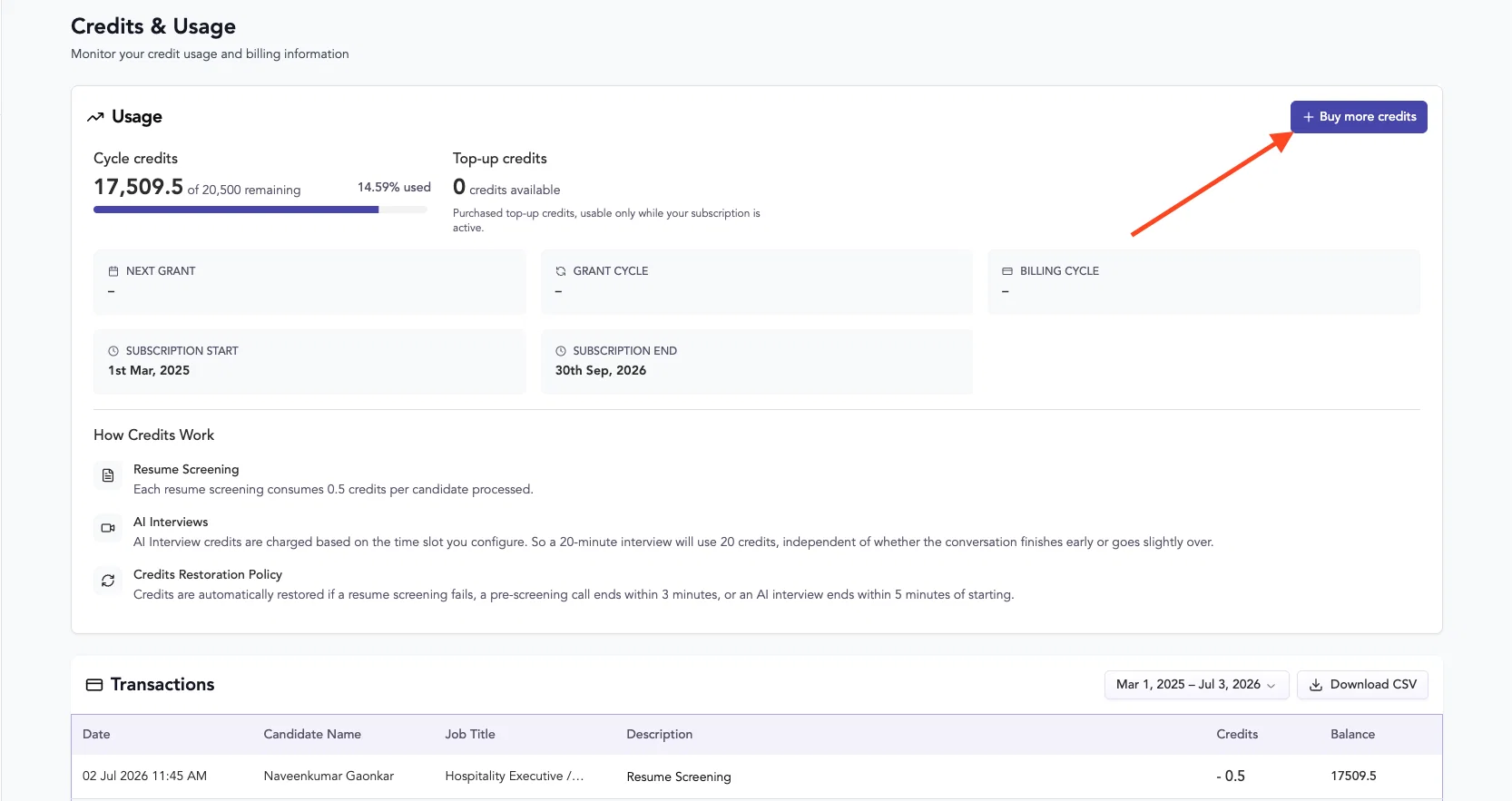
  1. 🔋 Buy More Credits When You Need Them

    New Feature
    image

    We're making it easier to scale your usage. You can now purchase additional credits directly from Settings > Credits & Usage whenever your subscription is active.

    What You Need to Know

    Purchase Details

    • Minimum purchase: 100 credits
    • Price: $0.35 per credit (100 credits = $35.00)
    • Secure checkout through Stripe

    How Credits Work

    • Your regular subscription credits are used first
    • Top-up credits activate after your subscription credits are consumed
    • Top-up credits don't expire, as long as your paid subscription remains active

    Who Can Purchase

    Only account administrators can buy credits.

    After Purchase

    Your updated top-up balance and purchase history appear immediately on the Credits & Usage page.

    This gives you the flexibility to handle usage spikes without waiting for your next billing cycle. No surprises, no interruptions.
  2. Custom Form Fields in Application Form

    New Feature
    Announcement
    image (8)

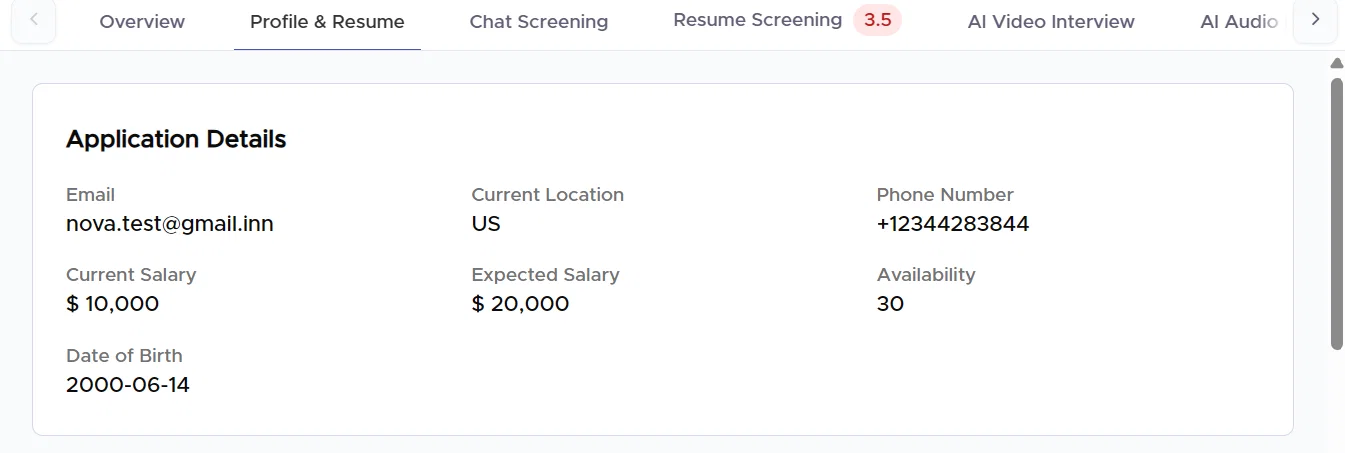
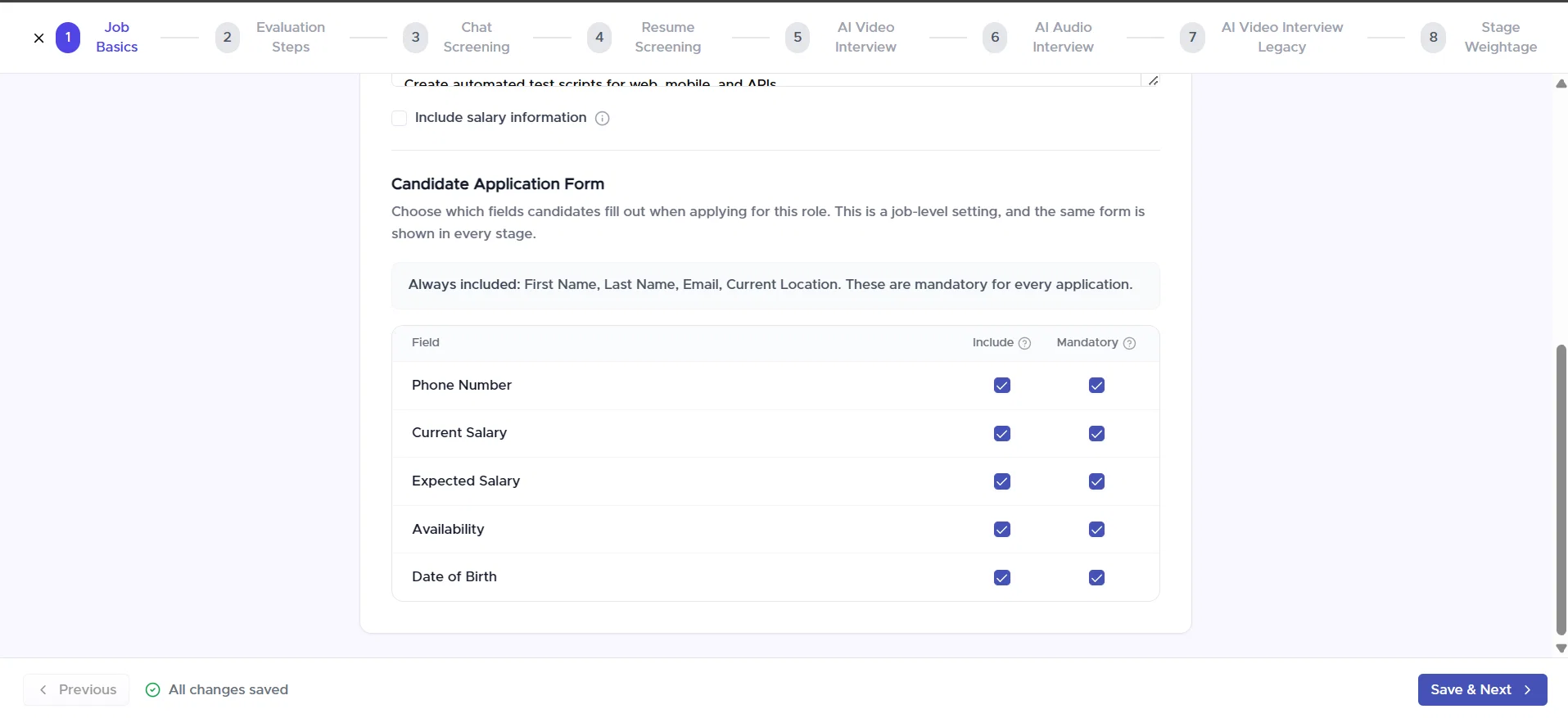
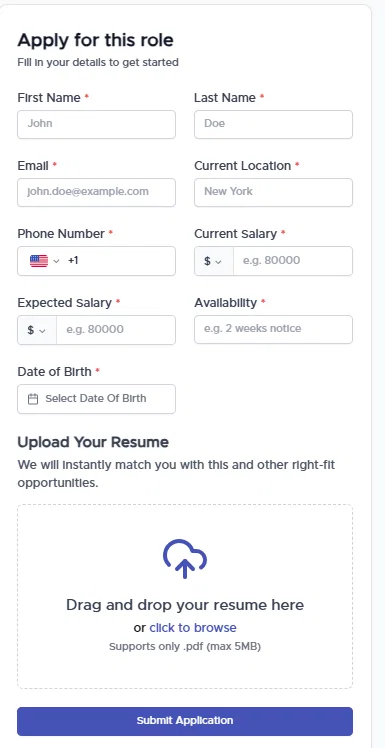
    You can now customise your Candidate Application Forms with additional fields to collect the candidate information that matters most to your hiring process.

    Available fields include:

    📞 Phone Number

    💰 Current Salary

    💵 Expected Salary

    📅 Availability

    🎂 Date of Birth (DOB)

    You can also:

    • Choose which fields to include or exclude from the application form
    • Mark fields as required or optional
    image (9)

    Collect the information that matters most to your hiring process and streamline candidate screening with more complete applications.

    image 6
  3. Get notified the moment AI interview results are ready

    New Feature

    CleanShot 2026-06-25 at 06.02.33@2x

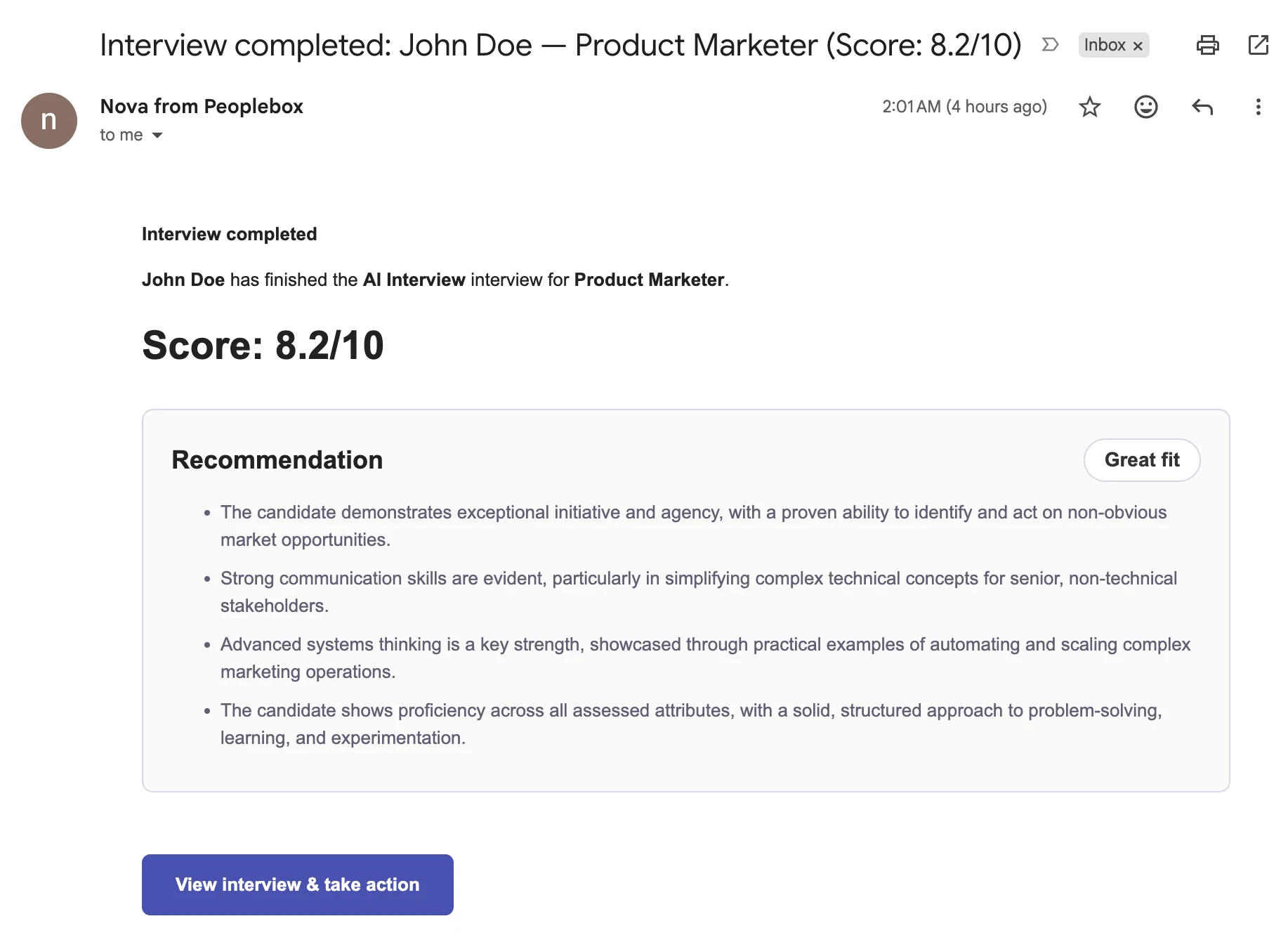
    You no longer have to keep checking your candidate pipeline to know when an AI interview has been scored.

    With Interview Completion Email Alerts, recruiters, hiring managers, and everyone with access to a job can now receive an email as soon as AI interview scoring is complete.

    What’s included in the email?

    Each notification gives you the information you need to quickly decide your next step:

    • Candidate name
    • Job title
    • Interview outcome (Passed, AI Rejected, or Needs Review)
    • AI interview score (when available)
    • Interview duration
    • Direct link to the candidate profile
    • Direct link to the interview recording

    If interview scoring couldn’t be completed, you’ll still receive a notification so you know the interview finished and requires attention.

    Stay in control

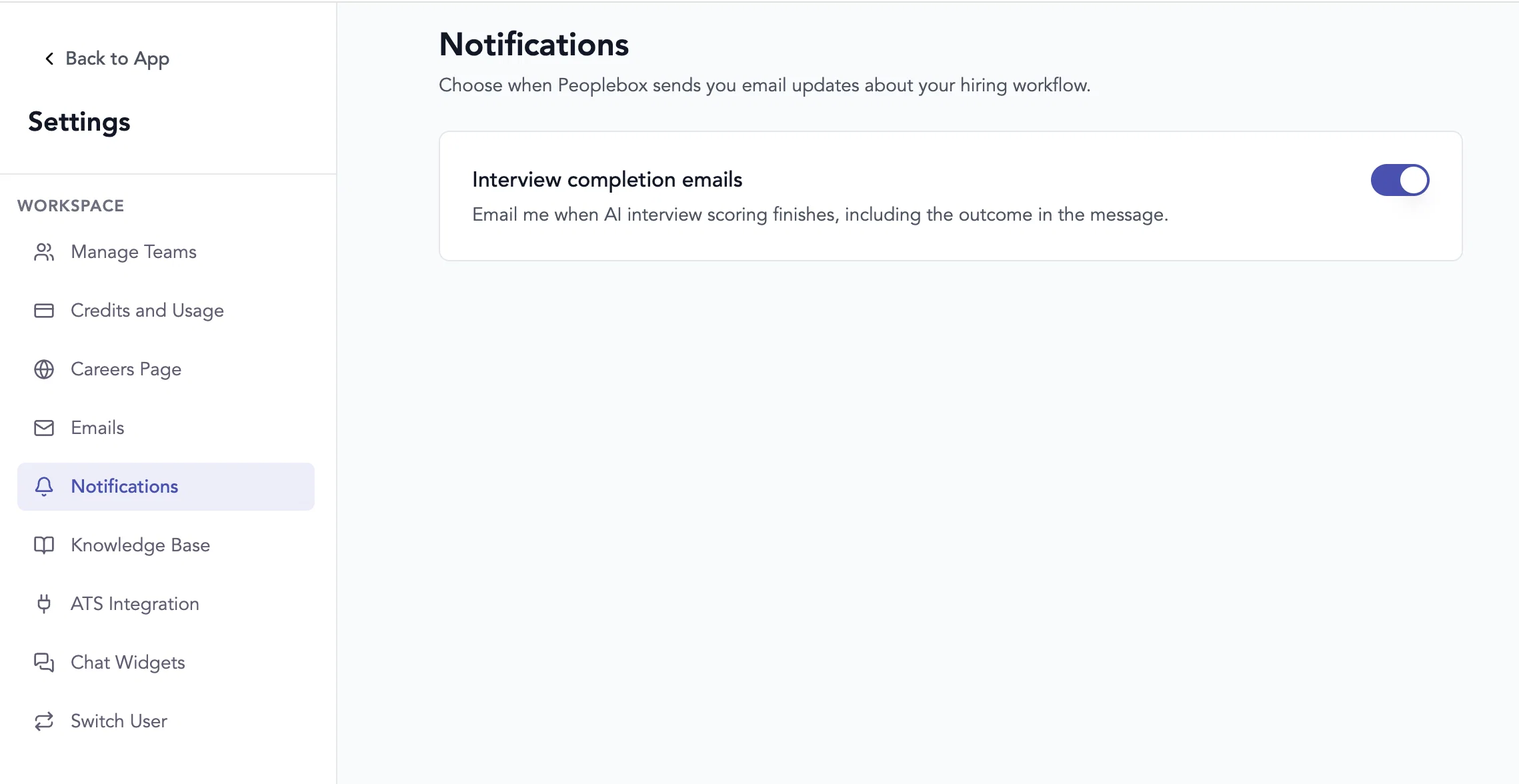
    Interview completion emails are controlled through your personal notification preferences under Settings → Notifications.

    CleanShot 2026-06-25 at 05.56.01@2x

    With timely interview completion alerts, your hiring team can review candidates faster, prioritize interviews that need attention, and keep your hiring process moving without constantly monitoring the application list.

    3

  4. Careers Page

    New Feature

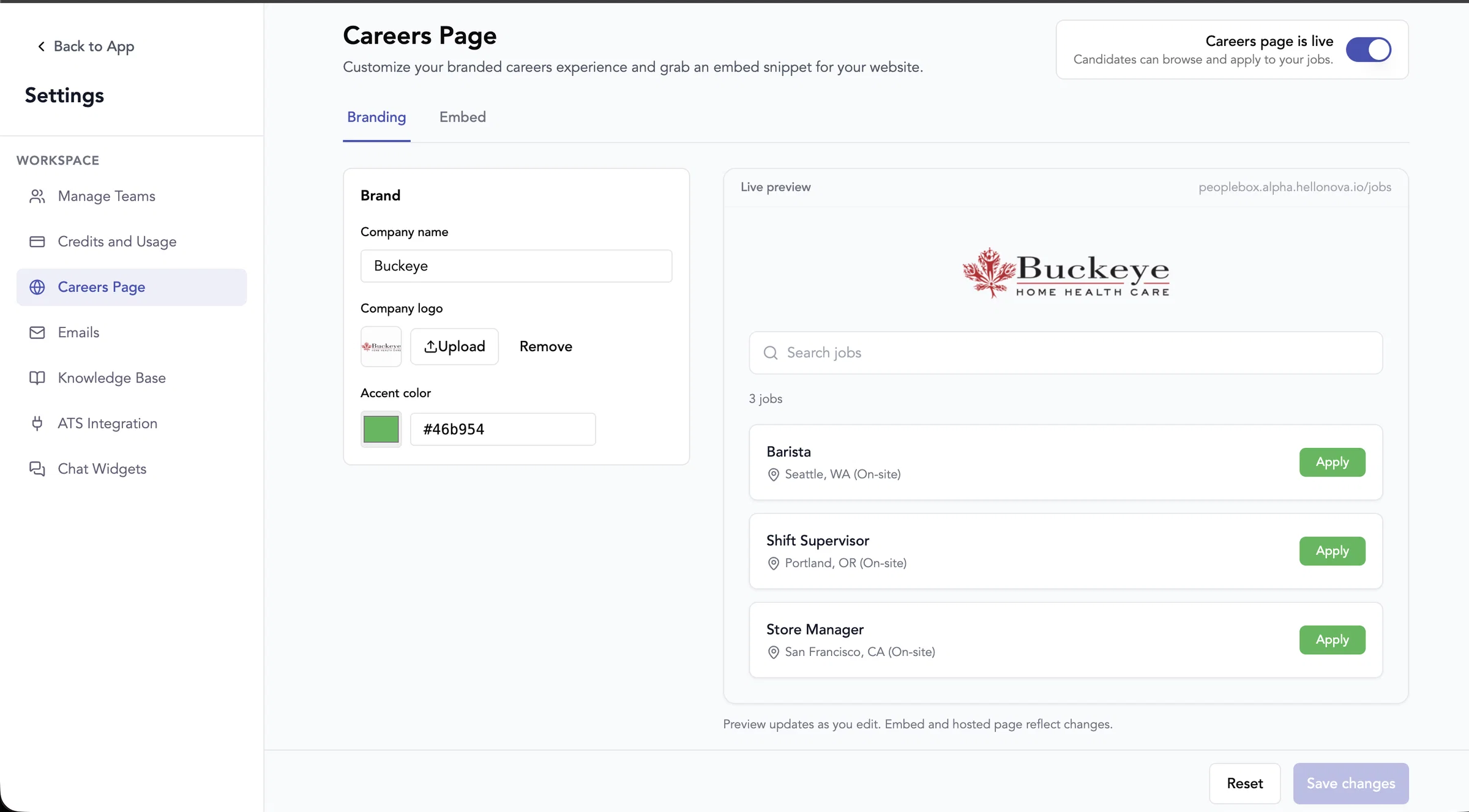
    You can now publish a branded public job board for candidates. White labelling is no longer a separate settings page — branding (company name, logo, accent color) lives under Settings → Careers Page, which replaces the old White Labelling section.

    Settings → Careers Page— master on/off toggle, branding, live preview, and embed/hosted link copy

    Hosted link—https://{slug}.hellonova.io/jobs(no login)

    Website embed— paste a script snippet; same widget as the hosted page

    Job cards— title, location, and workplace type (e.g.Seattle, WA (On-site)), with search and pagination

    Apply button— opens the candidate flow on the main app, redirected to thefirst job stage(first AI interview stage) for that role

    Per-job control— on live jobs, use theLive on careerspill or ⋮ menu to show/hide each job on the public page

    Existing accounts— careers isoff by defaultuntil you turn it on;new accountshave iton by default

    image

    11