Careers Page
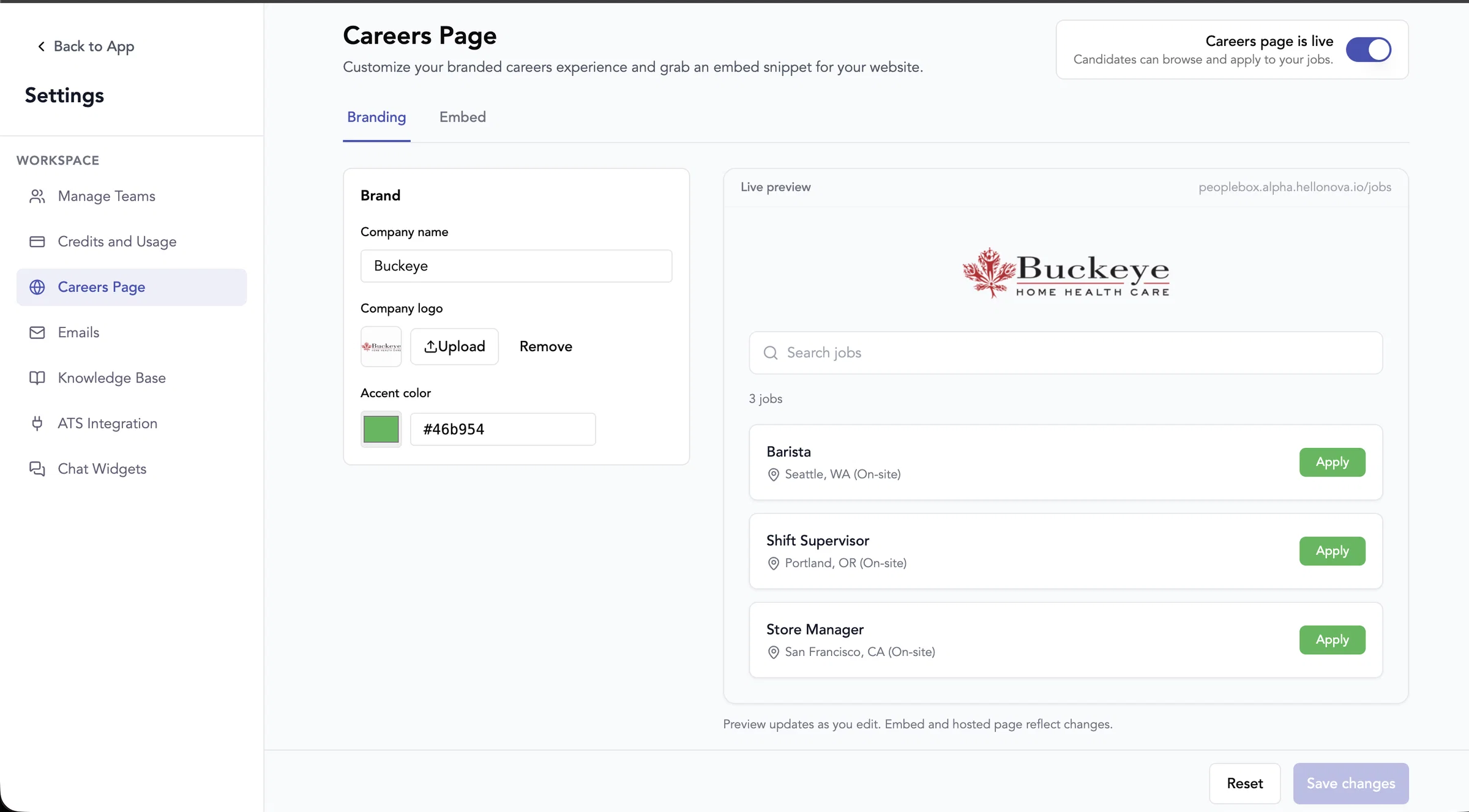
You can now publish a branded public job board for candidates. White labelling is no longer a separate settings page — branding (company name, logo, accent color) lives under Settings → Careers Page, which replaces the old White Labelling section.
Settings → Careers Page— master on/off toggle, branding, live preview, and embed/hosted link copy
Hosted link—https://{slug}.hellonova.io/jobs(no login)
Website embed— paste a script snippet; same widget as the hosted page
Job cards— title, location, and workplace type (e.g.Seattle, WA (On-site)), with search and pagination
Apply button— opens the candidate flow on the main app, redirected to thefirst job stage(first AI interview stage) for that role
Per-job control— on live jobs, use theLive on careerspill or ⋮ menu to show/hide each job on the public page
Existing accounts— careers isoff by defaultuntil you turn it on;new accountshave iton by default
11